
Technical Basics, Safety & Care
Power Bank Wattage Limits: Safely Run Small Appliances
14th Sep•9 min read
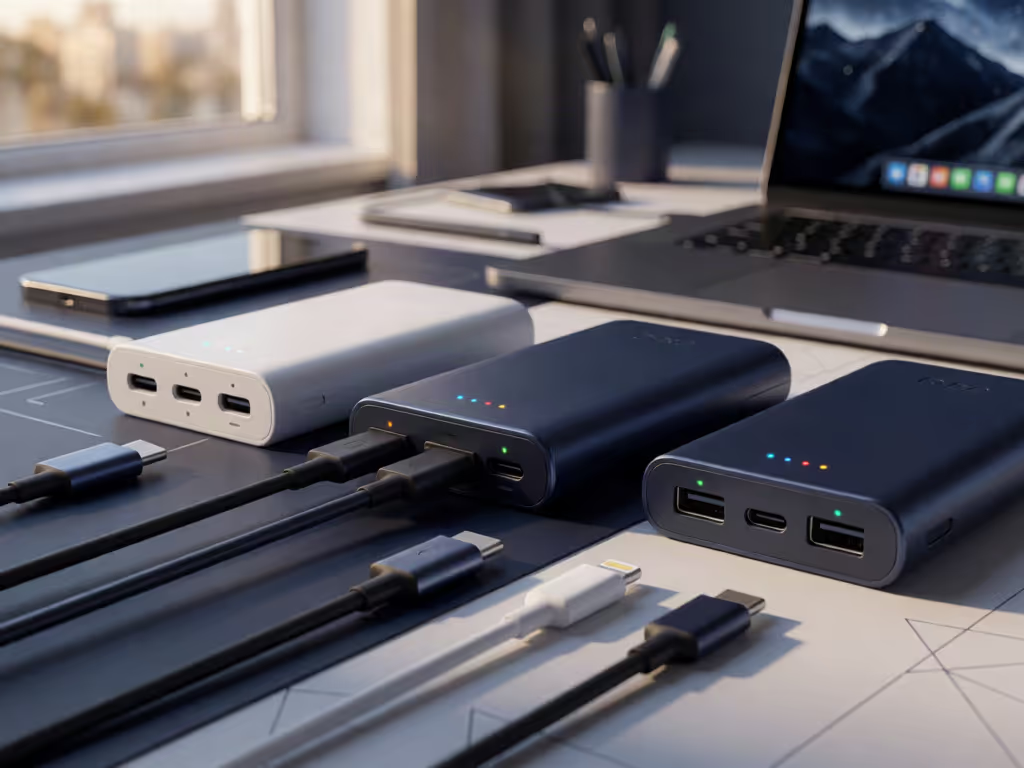
Start with the labels: use the port marked Input to recharge the power bank and a documented charging output for devices. USB-C’s shape alone does not establish charging power or data capability; check the exact labels and manual to identify a port’s role.
Important: A built-in cable improves convenience but reduces flexibility, while multiple ports may share available output rather than provide full power simultaneously.
Power bank ports explained begins with a simple but consequential distinction: matching USB-C connector shapes does not by itself establish the charging-power or data capability you need. That is especially relevant when choosing a power bank with USB-C ports, where the exact port roles must be confirmed in the product documentation. For travel and work acceptance, clear input/output markings matter as much as convenience. Safety paperwork and labels are features, not afterthoughts.
This FAQ deep dive provides an evidence-based method for reading ports, selecting cables, and planning a dependable multi-port charging setup without treating USB-C as a promise of identical performance.
Identify the function printed beside each port before selecting a cable or connecting a device.
A port labeled Input is used to recharge the power bank from a wall charger or another power source. A USB charging port is where you connect the phone, tablet, or other device that needs power. This appears elementary, but it prevents one of the most common packing failures: carrying the correct connector but assuming every matching-looking port performs the same job.
The acceptance criterion is deliberately narrow:
If documentation uses terms such as “two-way,” consult the exact port labels and manual for that model before relying on the port.
Compliance is a feature: check the port labels before relying on the bank.
No. USB-IF states that not all USB cables have the same capabilities.
USB-A is also known as “Standard USB.” USB-C cables can still have different capabilities. In practical terms, matching USB-C ends confirms only that the physical ends fit; it does not alone confirm the charging power or data capability you need.
A USB-C-only design can be an efficient choice when all of your charging devices and wall charger already use USB-C. It reduces adapter decisions and may simplify the cable pouch. But it is not automatically the right choice unless you can match the bank’s output connector, each device’s charging connector, and a cable with the required ends.
Before buying or packing, document these three items:
For example, Apple states that a Mac that charges over USB-C can charge from a USB-C power adapter or display supporting USB Power Delivery (USB PD). For those Macs, Apple also recommends using an adapter or display that supplies at least the minimum wattage recommended for that Mac.
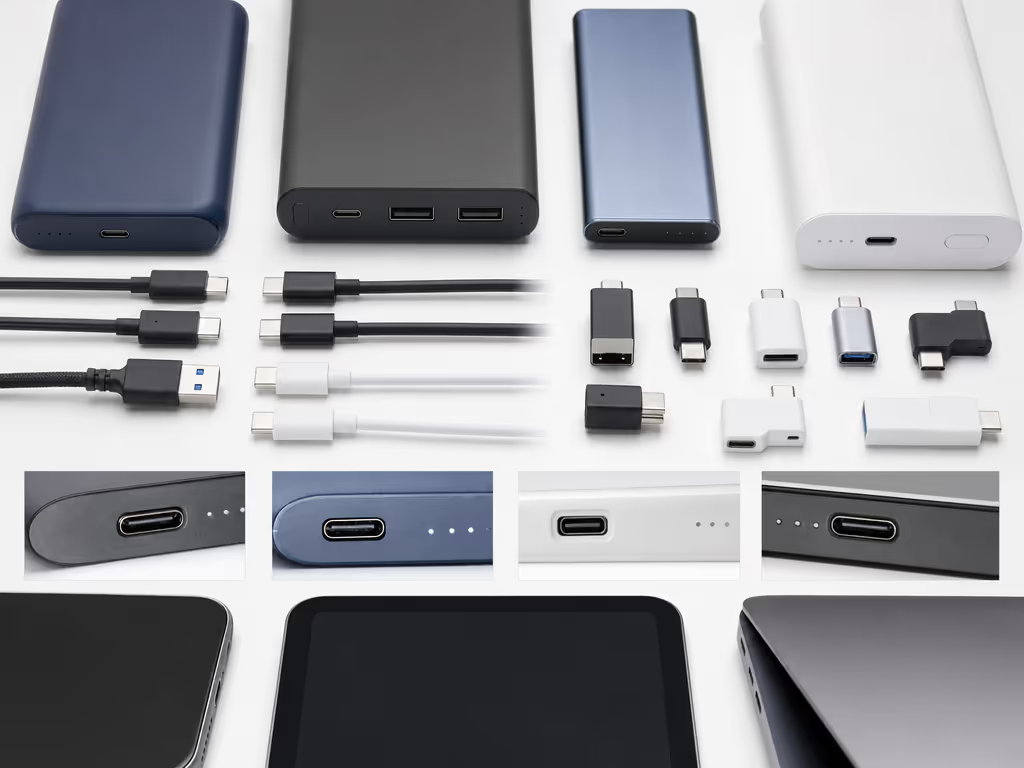
Treat a recognized USB-IF cable logo as evidence about the cable, not as a blanket guarantee about the entire charging chain.
Under the USB-IF Compliance Program, USB-C-to-USB-C cables carry a 60 W or 240 W power-capability icon or logo. USB-IF combined marks communicate two distinct attributes:
The distinction is critical. A cable can be rated for substantial charging power without implying high data transfer performance. USB-IF notes that USB 2.0 Type-C cables rated at 60 W or 240 W can support data rates up to 480 Mbps, and that data capability does not have to appear in charging logos.
The phrase e-marked cable requirements is often used in shopping discussions, but a disciplined purchase decision should begin with the cable's documented capability rather than an assumed internal feature. The evidence available here supports a more reliable test: identify the power capability and, where relevant, signaling capability shown in the cable's certified marking or stated documentation.
Do not reverse that logic. An unmarked cable is not automatically unsafe, counterfeit, incapable, or noncompliant. Conversely, a cable with USB-C connectors should not be assumed to deliver every power level your devices might request. Choose for the capability your own charging arrangement requires.
Built-in cable convenience is real, particularly for commuters, field workers, and travelers who repeatedly need one familiar connector, as explored in this guide to built-in cable power banks. A hard-wired cable is less likely to be misplaced because it is attached to the bank.
The tradeoff is flexibility. Belkin characterizes hard-wired cables as less versatile than detachable ones. That limitation matters if your device mix changes, if a different connector is needed, or if you need a cable with a specifically documented capability.
| Use case | Primary benefit | Primary limitation | Mitigation / acceptance criterion |
|---|---|---|---|
| One phone charged daily | Cable is always with the bank | Less adaptable to a new device | Confirm the installed connector matches the phone |
| Mixed phone, tablet, and laptop kit | Fewer loose items | One fixed cable may not serve each device | Carry a detachable cable with the required ends and documented capability |
| Travel hand luggage | Lower chance of leaving a cable behind | A damaged or unsuitable fixed cable reduces options | Inspect the cable and verify the bank's port labels before departure |
| Desk or field multi-device work | Fast access for one routine device | Shared output can change available power | Read per-port and combined-output specifications before relying on simultaneous charging |
A practical rule follows: choose an integrated cable for routine access, not as the sole evidence that a bank will serve every device in a changing kit.
Not necessarily. Multiple charging ports can let you charge more than one connected device at once, but the available output may be shared between them rather than available in full at each port simultaneously.
That makes the specification panel more important than the raw port count. For a dependable multi-port charging setup, inspect the manufacturer's documentation for:
Do not plan around the best single-port figure if you will normally connect two devices. If fast charging is part of your setup, review the bank's documented multi-port charging specifications. The relevant figure is the documented behavior under your actual load pattern.
Port selection is not separate from a broader power bank safety review. Before relying on a power bank for work travel or repeated daily use, retain its manual and inspect the exterior labeling for clear input/output identification. Documentation helps you operate the bank as designed instead of improvising around ambiguous connectors.
For the broader safety assessment, recognize that UL 2056 is UL Solutions' Standard for Power Banks. Its existence does not establish that a particular model has been certified, nor does any mark substitute for checking whether the bank and cable fit your devices. It does, however, provide a useful normative reference when assessing whether a seller provides meaningful safety documentation.
Use the port labeled Input. That is the port intended to recharge the bank from a wall charger or other power source. If the labeling is unclear, use the model-specific manual rather than guessing from a USB-C connector alone.
It is an input-side label: it relates to recharging the power bank, not necessarily to charging your device from the bank. The complete interpretation and operating implications should be taken from that power bank's documentation; the label alone should not be used to predict charging time.
Do not make a categorical buying decision from the connector shape or a generic claim. USB-IF materials establish that USB-C cable power and signaling capabilities can differ, so consult the cable's documentation and markings for the capability relevant to your intended use.
The most useful next step is not to search for the highest port count. Create a one-page port map of the devices you carry: each device's charging connector, the cable ends it needs, and whether you expect to charge it alone or alongside another device. Then compare that map against a power bank's labeled input, documented outputs, combined-output behavior, and cable capability.
That modest audit avoids cable clutter, prevents false USB-C assumptions, and preserves the kind of readiness that matters when a checkpoint or a workday leaves no margin for a missing detail.