Product & Brand Comparisons
Mini UPS vs Power Bank for WiFi Router: Which Stays Online
15th Aug•11 min read
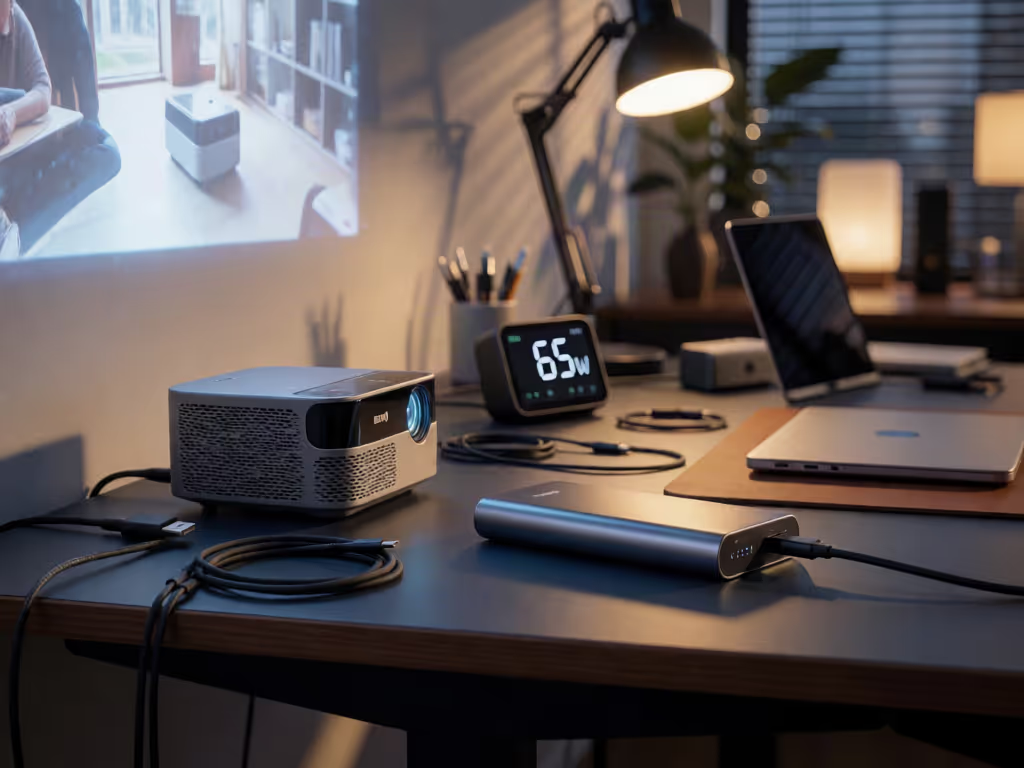
For the BenQ GV50, choose a USB-C PD source that explicitly provides 20V / 2.25A through 20V / 3.25A (45W–65W) if you only need to operate the projector during playback. Choose one documented to provide the required 20V PD profile at more than 65W if you want the projector to operate while charging its internal battery; exactly 65W remains operation-only.
Important: A USB-C connector or “PD” label alone is insufficient. Use a suitable USB-C-to-USB-C PD cable, and check the power bank’s printed Wh rating and airline policy before flying.
Choosing power bank portable power for a projector is not about finding the biggest mAh number or any USB-C only power bank with a "fast charge" label. It is about matching one specific input profile, one operating condition, and one capable USB-C-to-USB-C cable. For the BenQ GV50, the dividing line is especially important: a source supplying 20V / 2.25A through 20V / 3.25A (45W through 65W) can power the projector while it is in use, but a suitable USB-C PD source providing the required 20V profile at more than 65W is required to power it and charge its internal battery at the same time.
That distinction turns a vague 45W vs 65W PD decision into a repeatable setup process. Follow the steps below before you buy or pack a portable projector battery backup.
The first check is not the bank’s capacity. It is the projector’s USB-C input requirement.
For the BenQ GV50 Portable Projector, BenQ specifies USB-C Power Delivery input from:
That gives you an essential compatibility target:
Power bank USB-C PD output
 ↓
Must offer a 20V PD profile
 ↓
Cable must support that PD connection
 ↓
BenQ GV50 USB-C PD input
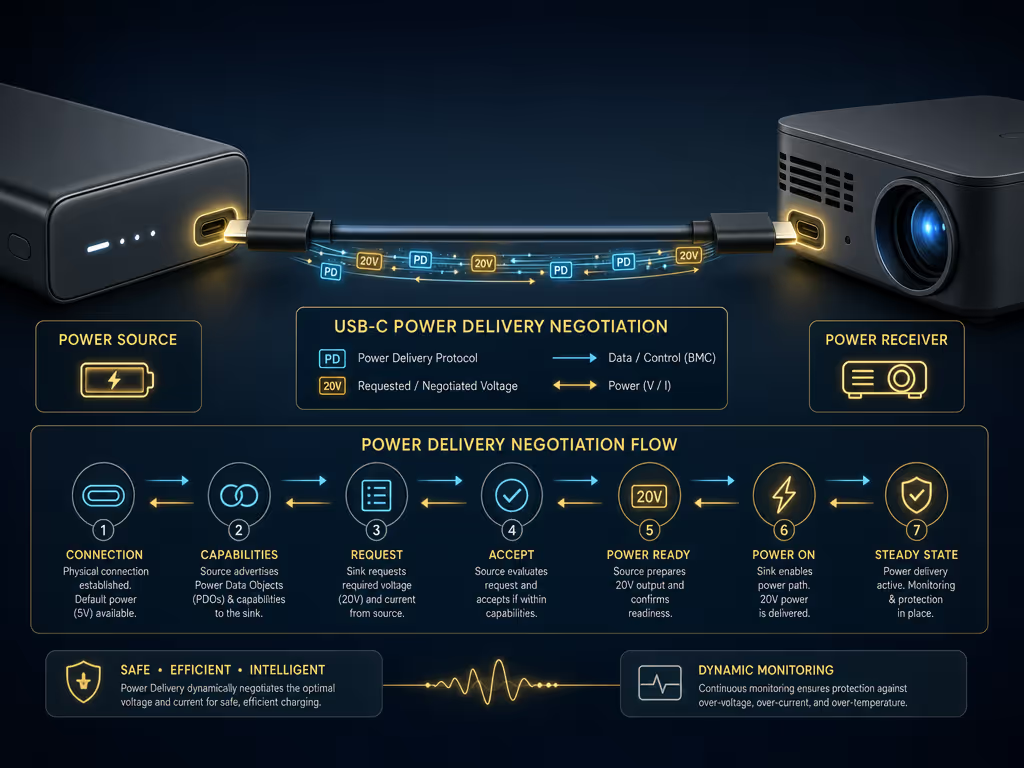
A USB-C port by itself is not enough evidence, so review this PD versus QC power bank comparison before assuming a bank will negotiate the required profile. USB Power Delivery can reach far higher levels in the standard (up to 240W under USB PD Revision 3.1 with an appropriate full-featured USB-C cable and connector), but that ceiling does not tell you what a specific power bank port can negotiate.
For projector power, read the actual output table on the power bank, its documentation, or both. You are looking for a USB-C PD output that explicitly includes 20V and provides enough current for the outcome you want.
A USB-C connector is the shape of the port. The PD profile is the power agreement.
This is the practical answer to 45W versus 65W+ for the GV50.
BenQ states that a USB-C PD adapter or power bank supplying 20V / 2.25A through 20V / 3.25A (45W through 65W) can provide power to the GV50 while it is operating, including video or music playback.
The limitation is easy to miss:
20V / 2.25A-3.25A PD source → GV50 running
 ↓
 Internal battery does not charge
With those 20V profiles, the projector battery can charge only when the projector is powered off or in Networked Standby mode.
This is a sensible setup when your goal is simple external power during a session, and you do not expect the projector’s battery percentage to rise while playing content. A source supplying 20V / 2.25A (45W) can therefore be compatible, but it is not equivalent to an external charger that replenishes the GV50 during use.
For simultaneous projector operation and internal-battery charging, BenQ specifies a suitable USB-C PD source that provides the required 20V profile at more than 65W, making this guidance on 100W+ power banks for sustained laptop charging useful when evaluating higher-output models.
Suitable 20V PD bank providing more than 65W → GV50 running
 ↓
 Projector battery charging
The wording matters. Exactly 65W belongs to BenQ’s 45W-65W operation-only range. Do not treat a product labeled "65W" as meeting the "more than 65W" requirement merely because it appears in a 65W+ search result.
| Your intended use | USB-C PD target for the GV50 | What to expect |
|---|---|---|
| Power the GV50 during playback | 20V / 2.25A through 20V / 3.25A (45W to 65W) | Projector can operate; its battery does not charge during use |
| Charge the GV50 while it is off or in Networked Standby | 20V / 2.25A through 20V / 3.25A (45W to 65W) | Battery charging is available under those conditions |
| Use the GV50 while also charging its battery | A suitable 20V PD source providing more than 65W | Required by BenQ for simultaneous operation and charging |
This is why I avoid treating wattage as a simple "higher is always better" badge. The useful question is: Which behavior does this wattage unlock for this projector?
A bank may advertise a large overall wattage figure, but that figure does not establish what the specific USB-C port you plan to use can provide. Without a documented per-port PD profile, you cannot assume it will deliver the GV50’s required 20V level, or sustain more than 65W from the port you plan to use.
Use this purchase checklist:
A 30,000mAh power bank is BenQ's recommended capacity for the GV50. Treat that as a capacity starting point, not a promise of a certain number of movie hours. The available information does not state the projector’s operating draw, its internal battery energy, or the usable energy of a particular bank. A runtime estimate would be guesswork.
Also, mAh alone is insufficient to determine Wh without voltage. Use this guide to calculating real device charges from power bank capacity when comparing capacity labels. Watt-hours are calculated as:
Watt-hours (Wh) = voltage × amp-hours (Ah)
Read the power bank’s printed Wh marking alongside its mAh label, especially if you plan to fly.
For the GV50, BenQ calls for a USB-C-to-USB-C cable that supports USB Power Delivery at 20V / 2.25A through 5A, and instructs users to ensure the cable is USB-IF certified and supports PD.
The connection path is only as capable as its least capable part:
Verified PD bank port
 → PD-capable USB-C-to-USB-C cable
 → GV50 20V PD input
The cable is a component, not an accessory.
I learned to check that first after seeing a supposedly fast bank deliver only a disappointing result through the wrong cable; the source and device looked fine, but the link between them was not. For the GV50, do not reuse an unknown USB-C cable just because it fits. Confirm that it supports the required PD range.
Device-specific note: BenQ's guidance does not support powering the GV50 from a car charger. For this projector, stay with the specified USB-C PD power-bank or adapter path.
Pair the cable right, then test the complete bank-cable-projector chain before the trip or presentation. Connect the projector while the bank is above its low-charge state, begin playback, and verify that the behavior matches the power tier you selected:
A large portable power station can be useful for a base-camp or outage scenario, but it is not automatically a verified USB-C projector-power solution.
Take the Anker 757 PowerHouse as an example. Anker describes it as a portable power station with a stated 1,229Wh capacity, six AC outlets with 1,500W combined output, and two USB-C ports. Those characteristics make it fundamentally different from a carry-around USB-C power bank.
However, the available specifications do not state the wattage or PD profiles of its USB-C ports, whether those ports share power, or whether either can meet the GV50’s more-than-65W simultaneous-charge requirement. Its presence of USB-C ports is not enough to establish that match.
There are two different paths here:
Pocket-bank path:
USB-C PD bank → certified [PD USB-C-to-USB-C cable →](https://www.benq.com/en-ap/support/downloads-faq/faq/pre-sales/specifications/gv50-usbc-power-bank.html) GV50

Power-station path:
AC outlet → projector's appropriate AC power arrangement
Only choose the first path when you have verified the USB-C PD output profile for the port in question. For a power station, use its documented output method rather than assuming that every USB-C port behaves like a high-wattage PD source.
A portable projector battery backup can complicate carry-on planning, so consult this airline compliance guide for travel power banks before packing a high-capacity unit. Under FAA passenger guidance, power banks and portable rechargers must travel in carry-on baggage, not checked baggage. If your carry-on is gate-checked, remove the power bank and keep it in the cabin with you.
The usual FAA threshold is:
The airline’s own policy can be stricter, so check it before departure. Most importantly, do not decide based on a 30,000mAh, 20,000mAh, or 20000 mAh MagSafe power bank search label. Find the actual Wh rating printed on the unit.
A 20,000mAh bank cannot be classified for flight solely from its mAh figure because the voltage is needed to calculate watt-hours.
Before checkout, make a three-column note like this:
| Component | What you must confirm | Pass condition |
|---|---|---|
| Projector | BenQ GV50 USB-C input | 20V PD input, 45W-100W supported range |
| Power bank | USB-C output on the port you will use | 20V / 2.25A minimum for operation; for operation plus charging, a suitable USB-C PD output that provides the required 20V profile at more than 65W |
| Cable | USB-C-to-USB-C PD capability | USB-IF-certified PD cable supporting 20V / 2.25A through 5A |
| Travel plan | Power bank’s Wh marking and airline policy | Carry-on handling and carrier rules checked |
That matrix prevents the two expensive mistakes: buying a bank that merely has a USB-C port, or buying a 65W model expecting the GV50 to recharge while projecting.
Possibly, but mAh alone is not enough to answer. Check the bank’s printed Wh rating. FAA guidance requires power banks in carry-on baggage; batteries up to 100Wh are generally within the standard limit, while batteries exceeding 101Wh through 160Wh require airline approval and are limited to two spare batteries. Confirm your carrier’s current rules.
There is no reliable runtime figure available from the stated 30,000mAh recommendation alone. BenQ recommends that capacity, but a runtime calculation would require the projector’s operating draw and a specific bank’s usable energy, details not established here.
For the BenQ GV50, a source offering 20V / 2.25A (45W) is not "too weak" if your sole goal is to run the projector from USB-C PD. A source offering one of BenQ’s defined 20V profiles from 2.25A through 3.25A (45W-65W) can do that during playback. But exactly 65W does not satisfy BenQ's threshold for running the projector while charging its internal battery. For that outcome, choose a bank with a USB-C PD port documented to provide more than 65W at the required 20V profile.
Further exploration starts with your own three-part inventory: projector input requirement, per-port bank output table, and cable rating. Once those line up, portable projector power stops being a gamble and becomes a predictable negotiation.